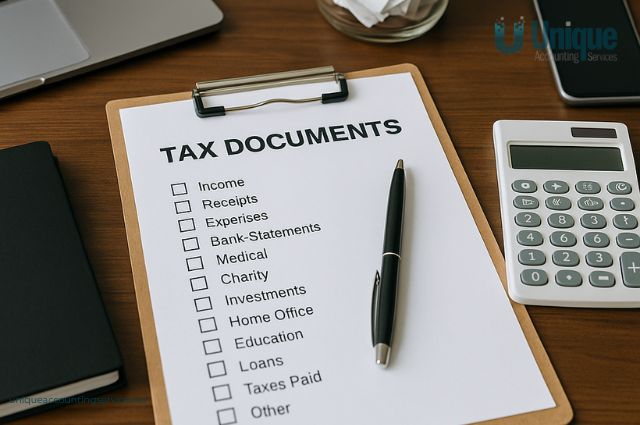
Tax time can feel stressful when receipts are missing, invoices are scattered, and financial records are buried in emails or random folders. One of the simplest ways to fix this problem is to build a system that keeps everything organised year-round. How to Create a Tax Folder That Saves Time Every Year
Learning how to create a tax folder that saves time every year can completely change the way you handle bookkeeping and tax preparation. Instead of scrambling at the last minute, you’ll have everything ready in one place—clearly organised and easy to access.
This guide explains exactly how to set up a tax folder system that works for individuals, sole traders, and small business owners.
Why You Need a Tax Folder System
A tax folder is a dedicated place—digital, physical, or both—where you store all important financial documents throughout the year.
Without a system, documents tend to get lost or forgotten, leading to:
- Missed tax deductions
- Delayed tax lodgements
- Increased accountant fees
- Stress during EOFY
- Inaccurate financial reporting
A well-structured tax folder helps you:
- Stay organised year-round
- Track income and expenses easily
- Prepare tax returns faster
- Reduce errors and missing documents
- Improve financial clarity
Digital vs Physical Tax Folders
Before creating your system, decide whether you’ll use digital, physical, or a combination of both.
Digital Tax Folder (Recommended)
A digital system is the most efficient and widely used method.
You can store files using:
- Google Drive
- Dropbox
- OneDrive
- Accounting software (Xero, MYOB, QuickBooks Online)
Benefits of digital folders:
- Easy access anytime, anywhere
- Automatic backups
- Searchable files
- No physical storage needed
- Easy sharing with accountants
Physical Tax Folder
A physical folder is still useful for original documents like:
- Signed contracts
- Paper receipts
- Legal paperwork
However, it requires more organisation and storage space.
Setting Up Your Tax Folder Structure
The key to an effective tax folder is structure. Without organisation, even digital systems become messy.
Suggested folder structure:
Create a main folder called:
“Tax Records – [Financial Year]”
Inside it, create subfolders such as:
- Income
- Expenses
- Bank Statements
- Receipts
- Payroll
- GST & BAS
- Assets
- Vehicle Expenses
- Work From Home Expenses
- Accountant Documents
This structure keeps everything easy to find during tax time.
Organising Income Records
Your income folder should contain all documents related to money earned.
Include:
- Customer invoices
- Sales receipts
- Payment platform reports (PayPal, Stripe, Square)
- Bank deposit summaries
- Accounting software income reports
Tip: Name files clearly, for example:
“Invoice_ClientName_2026-03-15.pdf”
Organising Expense Records
Expenses are one of the most important parts of your tax folder.
Store:
- Supplier invoices
- Business purchase receipts
- Subscription payments
- Marketing and advertising costs
- Travel and accommodation expenses
Pro tip:
Sort expenses into subfolders like:
- Office Supplies
- Software & Subscriptions
- Travel
- Utilities
- Marketing
This makes claiming deductions much easier later.
Bank Statements Folder
Bank statements help verify all financial activity.
Include:
- Monthly business bank statements
- Credit card statements
- Loan repayment records
- Transaction summaries
Reconcile these with your accounting records regularly to avoid errors.
Receipt Storage System
Receipts are often the most disorganised part of tax preparation.
Best practices:
- Take photos of receipts immediately
- Upload them to your tax folder
- Use apps like Dext or Expensify if possible
- Label receipts clearly with date and purpose
Example file name:
“OfficeChair_OfficeDepot_2026-01-10.jpg”
Payroll and Employee Records Folder
If you employ staff, you need a dedicated payroll section.
Include:
- PAYG summaries or income statements
- Superannuation records
- Timesheets
- Wage summaries
- Payroll reports from software
This ensures compliance and simplifies reporting.
GST and BAS Documentation
For GST-registered businesses, this folder is essential.
Store:
- BAS statements
- GST tracking reports
- Tax invoices
- GST reconciliation summaries
Keeping this organised helps prevent reporting errors and penalties.
Asset and Equipment Records
Large business purchases must be tracked for depreciation.
Include:
- Purchase invoices
- Asset register
- Depreciation schedules
- Equipment warranties
Example assets:
- Computers
- Machinery
- Office furniture
- Vehicles
Vehicle Expense Records
If your business uses a vehicle, a separate folder helps track deductions.
Include:
- Fuel receipts
- Maintenance and repair invoices
- Registration and insurance documents
- Logbook records (if required)
A logbook helps calculate business-use percentage accurately.
Work-from-Home Tax Folder
For home-based businesses, this section is important.
Include:
- Electricity and gas bills
- Internet and phone bills
- Home office equipment receipts
- Cleaning costs (if applicable)
You may also need a usage log for business percentage calculations.
Monthly Maintenance Habit
A tax folder is only effective if you maintain it regularly.
Monthly tasks:
- Upload receipts
- Categorise expenses
- Update income records
- Reconcile bank statements
- Check for missing documents
Spending 15–30 minutes monthly saves hours at tax time.
Common Mistakes to Avoid
Even with a tax folder, mistakes can still happen.
Avoid:
- Dumping all files into one folder
- Forgetting to label documents
- Mixing personal and business expenses
- Waiting until EOFY to organise files
- Not backing up digital folders
These mistakes reduce the effectiveness of your system.
How a Tax Folder Saves Time and Money
A well-structured tax folder improves efficiency and reduces costs.
It helps you:
- Lodge tax returns faster
- Reduce accountant preparation fees
- Avoid penalties and late fees
- Claim more deductions
- Improve financial decision-making
Over time, it becomes one of the most valuable systems in your business.
Tax Folder Checklist for Small Businesses
Before tax time, ensure your folder includes:
- Income invoices and sales records
- Expense receipts and invoices
- Bank and credit card statements
- Payroll and superannuation records
- GST and BAS reports
- Asset purchase documentation
- Vehicle and travel logs
- Work-from-home expense records
- Accountant correspondence
Conclusion
Knowing how to create a tax folder that saves time every year is one of the simplest yet most powerful ways to improve your financial organisation. With a clear structure, consistent habits, and digital tools, you can eliminate tax-time stress and stay in control of your business finances year-round.
Start building your tax folder today, and future tax seasons will become faster, easier, and far more efficient.