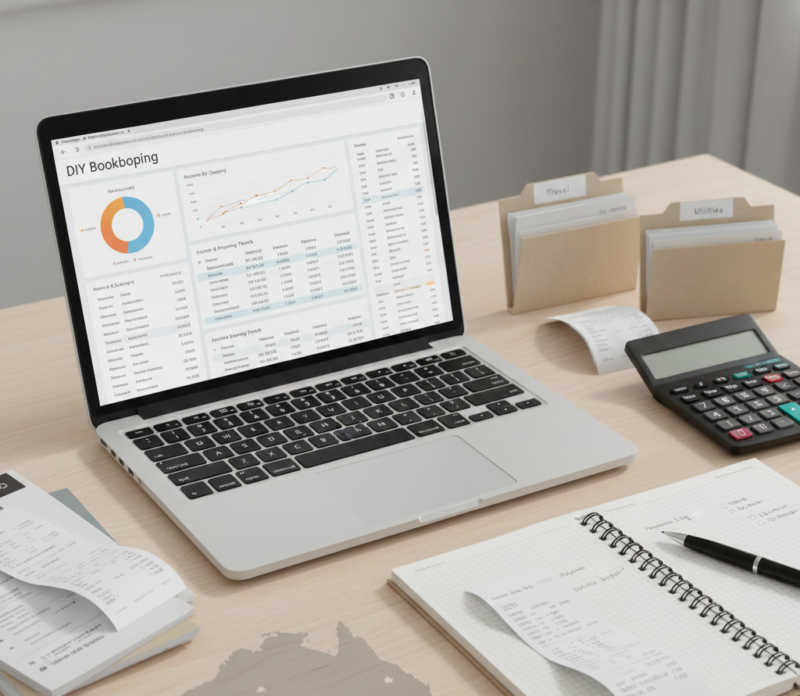
Many small business owners and managers feel overwhelmed when it comes to financial reporting. The thought of preparing management accounts can seem intimidating, especially if you’re not an accountant. But here’s the good news: you don’t need to be an accounting expert to create useful management accounts. With the right approach, tools, and guidance, you can generate clear reports that help you make better decisions, track performance, and manage cash flow effectively. How to Create Management Accounts Even If You’re Not an Accountant
In this guide, we’ll show you how to create management accounts even if you’re not an accountant, step by step, with practical tips for small businesses.
What Are Management Accounts?
Management accounts are internal financial reports produced regularly—usually monthly—to give business owners insight into how their business is performing. Unlike statutory accounts prepared for tax authorities or investors, management accounts are designed specifically for internal decision-making.
They provide answers to questions like:
- Are we profitable this month?
- Where are costs increasing?
- Do we have enough cash to cover upcoming expenses?
- Which areas of the business are performing best or worst?
Management accounts are flexible and can be tailored to your business size, industry, and goals. The key is focusing on useful information rather than perfect accounting.
Why Management Accounts Are Important
Even if you are not an accountant, management accounts give you:
- Financial Clarity – They show how much money is coming in and going out.
- Cash Flow Control – They help prevent cash shortages and plan for payments.
- Profit Insight – They highlight which areas of your business are profitable.
- Early Problem Detection – They make it easier to spot financial issues before they escalate.
- Data-Driven Decisions – You can make informed decisions about hiring, investments, or cost-cutting.
In short, management accounts turn numbers into actionable insights.
Key Components of Management Accounts
Even beginners can understand and prepare the following core components:
1. Profit and Loss Statement (P&L)
This report shows your revenue, expenses, and profit over a set period. It helps you see:
- Where your money is coming from
- What your major expenses are
- Whether the business is profitable
A simple P&L can be created using accounting software or a spreadsheet.
2. Cash Flow Statement
Cash is the lifeblood of any business. A cash flow statement shows:
- Cash coming into the business
- Cash going out
- Your available cash balance
Even if you are profitable, poor cash flow can sink your business. Tracking cash flow regularly is critical.
3. Balance Sheet
The balance sheet is a snapshot of your business’s financial health at a specific date. It lists:
- Assets (what the business owns)
- Liabilities (what the business owes)
- Equity (owner’s share of the business)
For small businesses, a simple balance sheet is enough to understand the overall financial position.
4. Key Performance Indicators (KPIs)
KPIs help you measure business performance quickly. Common examples include:
- Gross profit margin
- Operating costs as a percentage of revenue
- Customer retention rate
- Sales growth
Choose only the KPIs that matter most to your business so you don’t get overwhelmed.
Step 1: Keep Accurate Records
Even if you are not an accountant, your management accounts rely on accurate data. You should:
- Record all income and expenses promptly
- Reconcile your bank accounts regularly
- Keep receipts and invoices organised
- Categorise transactions clearly
Using accounting software like QuickBooks, Xero, or Wave can make this step much easier.
Step 2: Use Simple Tools
You don’t need complex accounting software to create management accounts. Start with:
- Spreadsheets – Excel or Google Sheets are perfect for beginners
- Templates – Many free management account templates are available online
- Accounting software – Beginner-friendly platforms can generate P&L, cash flow, and balance sheets automatically
The goal is to have your data in a format that’s easy to read and understand.
Step 3: Start With a Basic Format
For beginners, a simple management account can include:
- Revenue – total income from sales or services
- Cost of Sales – direct costs of producing goods or services
- Gross Profit – revenue minus cost of sales
- Operating Expenses – rent, salaries, marketing, etc.
- Net Profit – gross profit minus operating expenses
- Cash Flow – opening balance, cash in, cash out, closing balance
You can add more details as you become more confident.
Step 4: Compare Performance
Management accounts are most useful when you compare current results to:
- Previous months
- Budget or forecast
- Year-on-year performance
This helps you spot trends, such as rising costs or declining sales, so you can act quickly.
Step 5: Review Regularly
Creating management accounts is only half the battle; reviewing them is just as important. Set aside time each month to:
- Identify areas of concern
- Discuss with your team or advisor
- Make decisions based on insights
Even a simple review process will make a big difference to your business performance.
Step 6: Keep Learning and Improving
You don’t need to become a full accountant, but gradually learning financial basics will help you use management accounts more effectively. Focus on:
- Understanding basic accounting terms
- Tracking cash flow vs profits
- Using charts and graphs to visualise trends
The more comfortable you are with the numbers, the more actionable your management accounts become.
Common Mistakes to Avoid
Even beginners can make mistakes. Avoid:
- Ignoring cash flow and focusing only on profit
- Waiting until month-end to record transactions
- Overcomplicating reports with unnecessary details
- Not reviewing accounts regularly
- Relying solely on bank balances
By avoiding these mistakes, your management accounts become truly useful.
Can You Do It Yourself?
Yes! Many small business owners create management accounts themselves using spreadsheets or accounting software. The key is consistency, simplicity, and accuracy.
However, working with a bookkeeper or accountant can be helpful to:
- Check your work
- Provide guidance on complex transactions
- Make sense of KPIs and trends
Even occasional professional support can make DIY management accounts more reliable.
Final Thoughts
Creating management accounts doesn’t have to be complicated or intimidating. Even if you’re not an accountant, you can prepare clear, useful reports by following a few simple steps:
- Keep accurate records
- Use simple tools or software
- Start with a basic format
- Compare results to budgets or previous months
- Review regularly and take action
Management accounts turn numbers into insights and decisions, helping you control your business, manage cash flow, and improve profitability. With a little practice, even non-accountants can confidently produce reports that are both simple and powerful. How to Create Management Accounts Even If You’re Not an Accountant