Switching to new bookkeeping software can feel overwhelming, especially when your financial records are involved. However, with the right process, migrating your financial data can be smooth, accurate, and even improve how you manage your business finances. How to Migrate Your Financial Data to New Bookkeeping Software
In this SEO-optimized guide, you’ll learn exactly how to migrate your financial data to new bookkeeping software without losing information, making costly errors, or disrupting your accounting workflow.
Why Migrating to New Bookkeeping Software Matters
Businesses upgrade their bookkeeping systems for several reasons. Older tools may lack automation, cloud access, integrations, or compliance updates. Modern solutions help improve efficiency, reduce manual errors, and provide real-time financial insights.
Some common reasons for switching include:
- Outdated or unsupported software
- Better automation features in newer tools
- Need for cloud-based access
- Integration with payroll, CRM, or invoicing systems
- Improved reporting and analytics
Understanding your reason for switching helps you choose the right migration approach.
Step 1: Evaluate Your New Bookkeeping Software
Before migrating anything, ensure your new system meets your business needs. Popular bookkeeping software options include Xero, QuickBooks Online, and FreshBooks.
When evaluating your new software, check for:
- Data import compatibility (CSV, Excel, API support)
- Chart of accounts structure
- Integration with banks and payment systems
- Reporting capabilities
- User access controls
Choosing the right platform reduces migration issues later.
Step 2: Back Up All Financial Data
Before making any changes, always create a full backup of your existing bookkeeping data. This is your safety net in case something goes wrong.
Your backup should include:
- General ledger entries
- Accounts payable and receivable
- Bank statements
- Payroll records
- Invoices and receipts
- Tax filings and reports
Export everything into multiple formats (CSV, Excel, or native backups) if possible.
Step 3: Clean and Organize Your Data
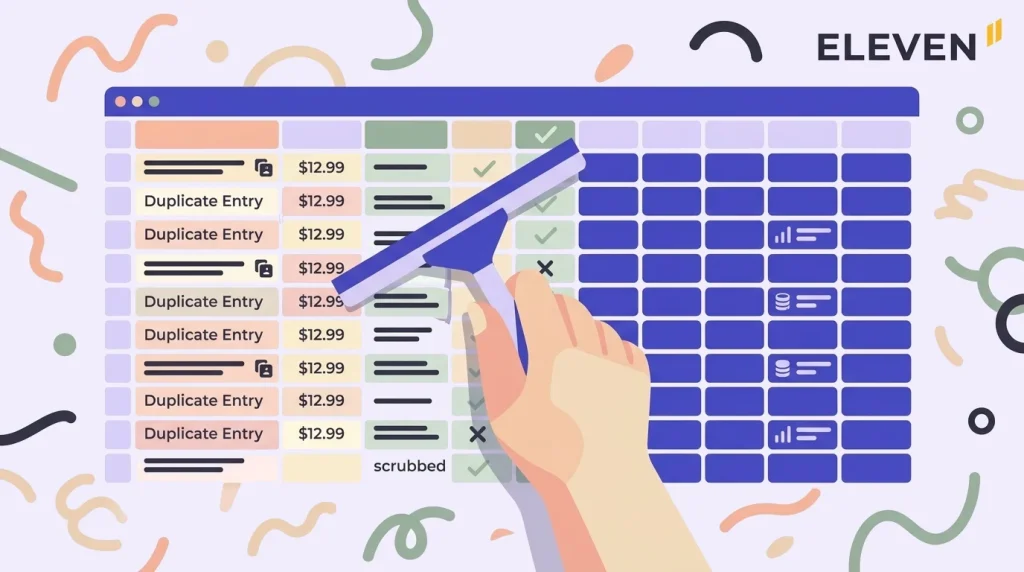
Data migration is the perfect opportunity to clean up your financial records. Old or messy data can cause errors when imported into a new system.
Focus on:
- Removing duplicate entries
- Correcting missing or incorrect transactions
- Standardising account names
- Reconciling bank statements
- Closing outdated accounts
Clean data ensures a smooth transition and improves reporting accuracy in your new system.
Step 4: Map Your Chart of Accounts
One of the most important steps in migrating financial data is mapping your chart of accounts.
Your chart of accounts is the structure that categorises all financial transactions, such as:
- Assets
- Liabilities
- Income
- Expenses
- Equity
Different bookkeeping software may structure accounts differently. You must align your old system with your new one to avoid mismatched data.
Many tools like Xero and QuickBooks Online allow custom mapping during import, which makes this process easier.
Step 5: Choose Your Migration Method
There are typically three ways to migrate financial data:
1. Manual Entry
Suitable for small businesses with limited transactions. Data is entered manually into the new system.
2. CSV or Excel Import
Most bookkeeping platforms allow bulk imports using spreadsheet files. This is the most common method.
3. Automated Migration Tools or API Transfer
Advanced systems use integration tools or APIs to transfer data automatically.
The method you choose depends on your data size and complexity.
Step 6: Import Your Data Carefully
Once your data is prepared and mapped, begin importing it into your new bookkeeping software.
Key tips during import:
- Start with opening balances first
- Import customers and suppliers next
- Then add invoices, bills, and transactions
- Finally import bank statements and reconciliations
Always import in stages instead of uploading everything at once. This reduces the risk of errors.
Step 7: Reconcile Your Accounts
After importing data, reconciliation ensures your financial records match your bank statements and previous system.
Check for:
- Missing transactions
- Duplicate entries
- Incorrect balances
- Mismatched invoices or payments
Most bookkeeping tools, including QuickBooks Online, offer automated bank reconciliation features to simplify this step.
Step 8: Test Your Reports and Workflows
Before fully switching over, test your new system thoroughly.
Run key financial reports such as:
- Profit and loss statement
- Balance sheet
- Cash flow report
Make sure the numbers match your old system. Also test everyday workflows like invoicing, payroll, and expense tracking.
Step 9: Train Your Team
If multiple people use the bookkeeping system, training is essential. Even the best software is ineffective if users don’t understand it.
Training should cover:
- How to enter transactions
- How to generate reports
- How to reconcile accounts
- How to use integrations
Most providers like Xero offer built-in tutorials, webinars, and help centres.
Step 10: Go Live and Monitor Closely
Once everything is tested, officially switch to your new bookkeeping software. However, don’t stop monitoring immediately.
During the first few weeks:
- Compare old and new reports
- Watch for syncing issues
- Double-check reconciliations
- Fix errors quickly
A careful transition period ensures long-term accuracy.
Common Mistakes to Avoid During Migration
Many businesses run into problems because they rush the process. Avoid these mistakes:
- Not backing up data properly
- Importing messy or unclean data
- Ignoring chart of accounts mapping
- Skipping reconciliation
- Switching without testing reports
Taking your time prevents costly accounting errors.
Benefits of Proper Bookkeeping Software Migration
When done correctly, migrating your financial data provides long-term advantages:
- Better financial visibility
- Faster reporting and insights
- Reduced manual bookkeeping work
- Improved compliance and accuracy
- Easier tax preparation
Modern tools like FreshBooks, QuickBooks Online, and Xero also help automate repetitive tasks, saving significant time.
Final Thoughts
Migrating to new bookkeeping software is a strategic move that can improve efficiency, accuracy, and financial control. While the process requires planning, following a structured approach ensures a smooth transition.
By backing up your data, cleaning records, mapping accounts, and carefully importing information, you can confidently switch to a better system without disrupting your business operations.
If done correctly, your new bookkeeping software won’t just store your data—it will help you make smarter financial decisions.