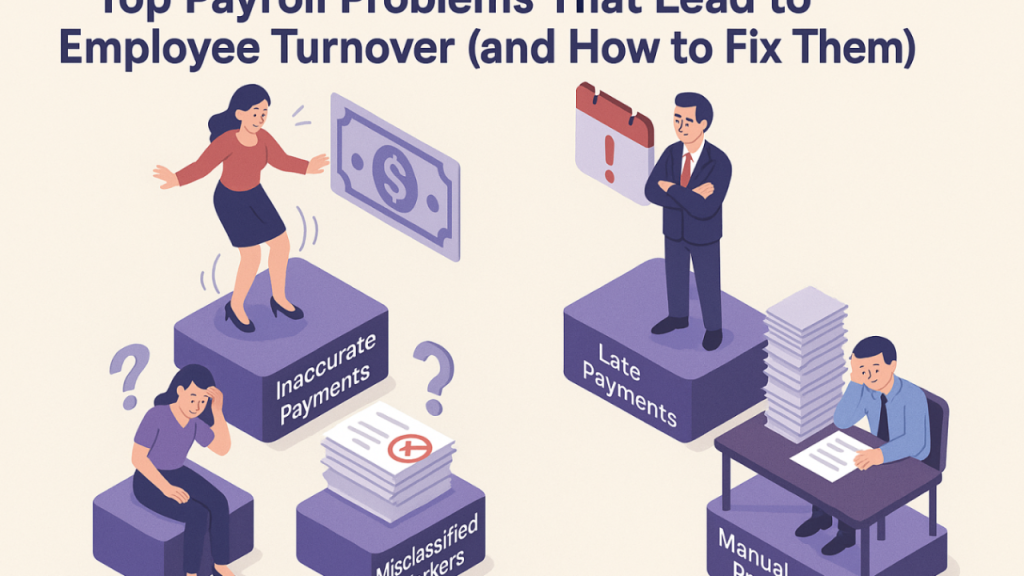
Payroll errors are one of the most common and costly challenges businesses face. From incorrect tax calculations to missed employee payments, even small mistakes can lead to compliance issues, employee dissatisfaction, and unnecessary financial losses. If your business is still relying on spreadsheets or outdated systems, you’re likely already feeling the pressure. Struggling with Payroll Errors? Here’s How Payroller Fixes Them
Modern payroll software like Payroller is designed to eliminate these issues by automating calculations, improving accuracy, and ensuring compliance with tax regulations. In this article, we’ll explore the causes of payroll errors, their impact on businesses, and how Payroller helps fix them efficiently.
What Causes Payroll Errors in Businesses?
Payroll errors don’t happen randomly—they are usually the result of manual processes, outdated systems, or lack of integration between HR and accounting tools. Some of the most common causes include:
1. Manual Data Entry Mistakes
Typing errors in spreadsheets or payroll systems can lead to incorrect wages, tax deductions, or superannuation contributions. Struggling with Payroll Errors? Here’s How Payroller Fixes Them
2. Miscalculated Tax Withholdings
Tax laws frequently change, and keeping up manually increases the risk of underpaying or overpaying employee taxes.
3. Inaccurate Time Tracking
Without integrated time-tracking systems, employee hours may be recorded incorrectly, leading to overpayment or underpayment.
4. Compliance Misunderstandings
Different regions have different payroll regulations. Missing updates can result in penalties or audits.
5. Disconnected Systems
When payroll, HR, and accounting systems don’t communicate, data inconsistencies are almost inevitable.
The Real Cost of Payroll Errors
Payroll mistakes are not just administrative issues—they directly affect business performance and employee trust.
Financial Penalties
Incorrect tax filings or late payments can result in fines and government penalties.
Employee Dissatisfaction
Employees expect accurate and timely pay. Repeated mistakes can reduce morale and increase turnover.
Loss of Productivity
Fixing payroll errors consumes valuable HR and finance time that could be spent on strategic work.
Compliance Risks
Non-compliance with tax laws and employment regulations can lead to audits and legal consequences.
How Payroller Fixes Payroll Errors
Modern payroll platforms are built specifically to remove the manual inefficiencies that cause mistakes. Payroller offers a streamlined, automated approach to payroll management that significantly reduces errors.
1. Automated Payroll Calculations
One of the biggest advantages of Payroller is automation. The system automatically calculates wages, taxes, superannuation, and deductions based on up-to-date rules. This removes the need for manual calculations and reduces human error.
2. Real-Time Tax Updates
Payroll regulations change frequently. Payroller ensures your business stays compliant by applying the latest tax rates and rules automatically, reducing the risk of outdated calculations.
3. Integrated Time and Attendance Tracking
Instead of manually importing timesheets, Payroller can integrate attendance data directly into payroll processing. This ensures employees are paid accurately for the exact hours worked.
4. Single Unified System
By combining payroll, HR, and reporting functions into one platform, Payroller eliminates data silos. This ensures that employee information remains consistent across all payroll cycles.
5. Automated Superannuation and Deductions
Superannuation calculations and statutory deductions are handled automatically, reducing the risk of missed contributions or incorrect payments.
Key Features That Help Prevent Payroll Mistakes
To understand how Payroller improves accuracy, it’s important to look at its core features:
Cloud-Based Payroll Management
Being cloud-based means updates are automatic, secure, and accessible from anywhere. This reduces the risks associated with outdated software versions.
Employee Self-Service Portals
Employees can view payslips, update details, and track payments themselves, reducing administrative workload and data entry errors.
Payroll Reporting Tools
Detailed reporting allows businesses to review payroll data before finalizing payments, helping catch discrepancies early.
Compliance Support
Payroller helps businesses stay aligned with local employment laws and tax requirements, which is especially important for growing companies.
Benefits of Using Payroller for Your Business
Switching to an automated payroll system can transform how your business operates. Here are some key benefits:
Improved Accuracy
Automation eliminates most manual errors, ensuring employees are paid correctly every time.
Time Savings
Payroll processing that once took hours or days can now be completed in minutes.
Better Compliance
With automated updates, your business stays aligned with tax regulations without constant manual monitoring.
Increased Employee Trust
Accurate and timely payroll builds confidence and improves workplace satisfaction.
Scalability
As your business grows, Payroller scales with you, handling more employees without increasing complexity.
Who Should Use Payroller?
Payroller is ideal for:
- Small to medium-sized businesses looking to reduce payroll complexity
- HR teams seeking automation and compliance support
- Accounting firms managing payroll for multiple clients
- Startups that want scalable payroll solutions from day one
How to Get Started with Payroller
Implementing Payroller is straightforward and does not require advanced technical knowledge. Most businesses follow these steps:
- Set up your company profile and employee data
- Configure payroll rules and tax settings
- Import existing employee records or timesheets
- Run a test payroll cycle
- Begin automated payroll processing
Once configured, the system continues to run with minimal manual intervention, allowing your team to focus on more strategic tasks.