In the fast-paced world of business, growing companies face increasing complexities in managing their finances. To stay competitive and maintain steady growth, businesses need more than just traditional bookkeeping—they require powerful accounting tools that streamline processes, provide real-time insights, and enhance decision-making. In this article, we’ll explore the top accounting tools that help growing businesses stay ahead, offering practical advice on choosing and leveraging technology for financial success.
Why Growing Businesses Need Advanced Accounting Tools
As businesses expand, their financial operations become more intricate. Manual accounting methods or basic software can lead to errors, inefficiencies, and missed opportunities. Advanced accounting tools help businesses by:
- Automating repetitive tasks like invoicing and payroll
- Providing accurate, real-time financial data
- Simplifying tax compliance and reporting
- Enhancing collaboration between finance teams and other departments
- Supporting strategic decision-making with analytics
Investing in the right accounting tools is essential for maintaining accuracy, saving time, and scaling effectively.
Key Features to Look for in Accounting Tools
When selecting accounting software for a growing business, it’s important to focus on features that support scalability and efficiency:
- Automation: Automate invoicing, expense tracking, bank reconciliations, and payroll.
- Cloud-Based Access: Enable real-time access from anywhere for better collaboration.
- Integration: Seamlessly connect with CRM, inventory management, and payment systems.
- Reporting & Analytics: Generate customizable financial reports and dashboards.
- Security: Ensure data encryption, backups, and compliance with regulations.
Choosing tools with these features prepares your business for current needs and future growth.
Top Accounting Tools for Growing Businesses
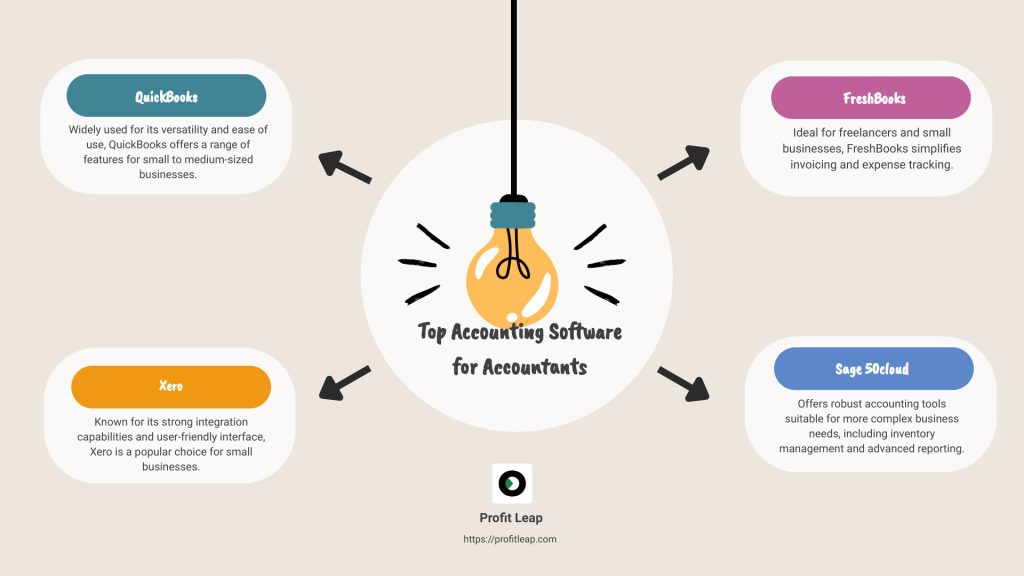
1. QuickBooks Online
QuickBooks Online is one of the most popular accounting tools for small and medium-sized businesses. It offers:
- Easy invoicing and payment tracking
- Expense management with receipt capture
- Payroll services and tax calculations
- Real-time cash flow tracking
- Integration with hundreds of third-party apps
Its user-friendly interface and scalability make QuickBooks ideal for businesses looking to streamline accounting as they grow.
2. Xero
Xero is a cloud-based accounting software known for its strong collaboration features. Key benefits include:
- Multi-user access with permission controls
- Automated bank reconciliation
- Project tracking and budgeting tools
- Integration with payment gateways and inventory systems
- Comprehensive financial reporting
Xero’s flexibility and intuitive design support growing businesses in maintaining financial control.
3. FreshBooks
FreshBooks is tailored for service-based businesses and freelancers. It excels in:
- Time tracking and billing clients accurately
- Expense categorization and tracking
- Customizable invoices and automated reminders
- Project management features
- Mobile app for on-the-go accounting
Its focus on client invoicing and project tracking helps service businesses stay organized and get paid faster.
4. Zoho Books
Zoho Books is part of the Zoho suite and is designed for small businesses with growing needs. Features include:
- Automated workflows for invoices and payments
- Multi-currency support for international businesses
- Inventory management integration
- Tax compliance tools
- Detailed financial dashboards
Zoho Books offers strong automation and integration capabilities at an affordable price point.
5. Sage Intacct
Sage Intacct is a cloud-based financial management solution suited for growing mid-market businesses. It provides:
- Advanced financial reporting and dashboards
- Multi-entity and global consolidations
- Automated workflows and approvals
- Real-time visibility into cash flow and profitability
- Compliance with accounting standards and regulations
Sage Intacct supports complex financial needs as businesses expand into new markets or product lines.
How to Choose the Right Accounting Tools for Your Business
Selecting the best accounting software depends on your business size, industry, and specific needs. Here are some tips to guide your choice:
- Assess Your Current Pain Points: Identify tasks that consume excessive time or are prone to errors.
- Consider Integration Needs: Ensure the tool connects with your existing systems such as CRM or payroll.
- Evaluate Scalability: Choose software that can grow with your business and handle increasing transaction volumes.
- Test User Experience: Try demos or free trials to check ease of use and feature fit.
- Budget Wisely: Balance cost against the benefits and potential ROI from improved efficiency.
Taking a methodical approach ensures you invest in tools that truly help your business stay ahead.
Benefits of Using Accounting Tools for Growing Businesses
Improved Accuracy and Reduced Errors
Automated data entry, bank feeds, and reconciliation minimize manual errors common in traditional accounting, ensuring reliable financial data.
Time Savings and Efficiency
Automating invoicing, payroll, and reporting frees up valuable time for finance teams to focus on strategic tasks instead of routine bookkeeping.
Real-Time Financial Insights
Access to up-to-date financial reports enables business owners to make informed decisions quickly, adapt to market changes, and optimize cash flow.
Better Compliance and Risk Management
Accounting tools often include tax calculation, filing reminders, and audit trails, helping businesses stay compliant and avoid costly penalties.
Enhanced Collaboration
Cloud-based software allows multiple users, including accountants and advisors, to collaborate seamlessly from anywhere, improving communication and workflow.
Best Practices for Implementing Accounting Tools
To maximize the benefits of your accounting software, follow these implementation best practices:
- Train Your Team: Ensure all users understand the software’s features and workflows.
- Migrate Data Carefully: Transfer historical financial data accurately to maintain continuity.
- Set Up Integrations: Connect your accounting tool with other business systems for seamless data flow.
- Customize Reports: Tailor dashboards and reports to track the metrics most important to your business.
- Review Regularly: Periodically evaluate software performance and update settings to match evolving business needs.
A thoughtful implementation process enhances user adoption and ROI.
Conclusion: Stay Ahead with the Right Accounting Tools
Growing businesses face increasing financial complexity that requires more than basic bookkeeping. The right accounting tools automate routine tasks, provide real-time insights, and support strategic growth decisions. Whether you choose QuickBooks, Xero, FreshBooks, Zoho Books, or Sage Intacct, investing in advanced accounting software helps you stay organized, compliant, and competitive.
By carefully selecting and effectively implementing these tools, your growing business can focus on innovation and expansion while maintaining financial clarity and control. Start exploring accounting tools today to stay ahead in your industry and set your business up for long-term success.